Send for approval
The Send for Approval feature in RigPulse is designed to ensure that Daily drilling report (DDRs) are properly reviewed and acknowledged before they become final. It supports both contractor-side approval (e.g., DSL, OIM) and operator-side acknowledgment through the CoMan (Company Man) role.
Important
You create, edit, and send a report for approval locally. Once you click Send for Approval, the approval process happens in the cloud.
How it looks
Once all sections of the report are marked as Complete, the Send for Approval button becomes active at the top of the page. Clicking it opens a modal (popup panel) that contains two key areas:
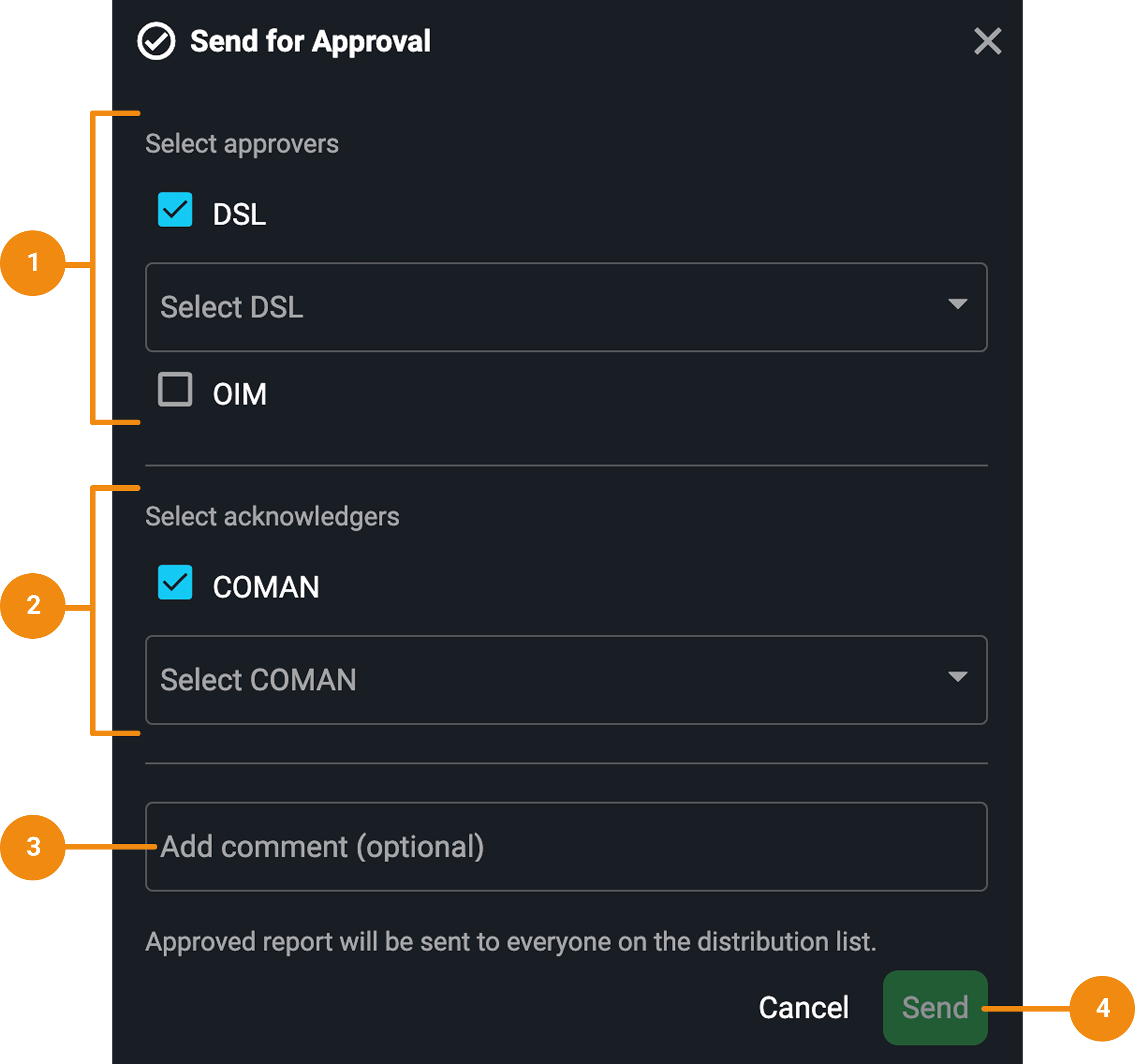
Select approvers: This section lists roles (e.g., DSL, OIM) who are responsible for officially approving the report. The available roles and users are populated automatically based on your System Configuration Tool. At least one approver must be selected to proceed.
Select Acknowledgers (CoMan): This new section allows you to assign a Company Man (CoMan) to acknowledge the report. While this step is optional, it enables operators to confirm awareness of the report. Just like approvers, the CoMan list is also generated from System Configuration Tool.
Notice
Acknowledgers are not required for the report to be approved.
Add comments: Use this field to provide context or additional details for the approver or acknowledger. This step is optional.
Send button: Once a valid approver is selected, the Send button becomes active.
An icon on the Daily drilling report page shows the current approval status. Once the report is approved or acknowledged, the report list also shows role tags for each assigned approver and acknowledger.
Step-by-step instructions
Submitting a DDR for Approval
Complete all sections: Ensure all assigned sections in the Report details page are marked as Complete. Incomplete or flagged sections will prevent submission.
Click Send for approval: Once complete, click the Send for Approval button at the top of the page.
Assign Approvers: In the modal, select the required approver(s). This step is mandatory.
Assign Acknowledger (Optional): If applicable, choose a CoMan to acknowledge the report. This person represents the operator and confirms receipt. This step is optional, but visible in the report status.
Add a comment (Optional): You may include a comment for context or clarification.
Click Send: The approver(s) and acknowledger receive email and in-app alerts. The Daily drilling report status is updated in real-time.
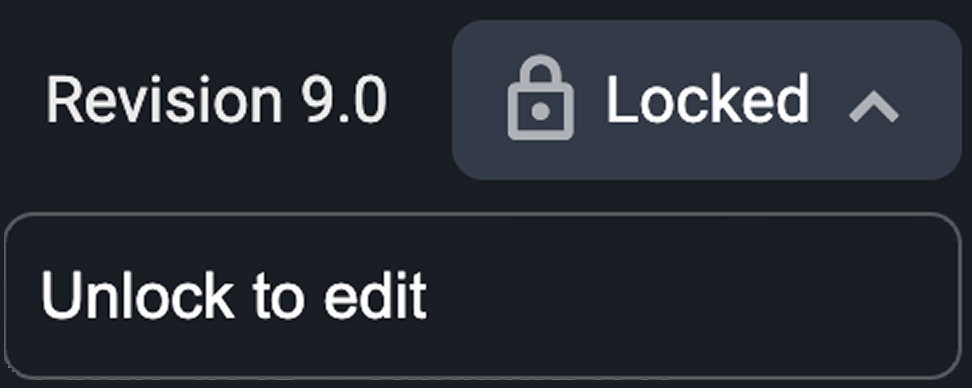
Unlocking after submission: You can now unlock a report even after it's been sent for approval. This allows further edits and resubmission, which will generate a new revision.
Approving and acknowledging a Daily Drilling Report
For approvers
Open the notification or email: After the report is submitted, you’ll receive an in-app alert and an email with a direct link to the report.
Review the report content: Open the report and review all completed sections for accuracy and completeness.
Click the Approve button: If everything is fine, click the Approve button at the top of the report. This action finalizes the report and updates its status to Approved.
Confirm approval: After approval, the top bar of the report will display a checkmark next to the approver’s role. On the Daily Drilling Report list, the status icon updates, and a role tag appears next to the report. Hover over the tag to view the name of the user who approved it.
For acknowledgers
Access the report: Like approvers, acknowledgers will receive a notification or email once they’re assigned.
Open and review the report: Review the content to confirm the report reflects accurate drilling operations.
Click Acknowledge: Select the Acknowledge button to confirm you’ve reviewed the report. This action does not affect the report’s approval status.
Confirm acknowledgment: After approval, the top bar of the report will display a checkmark next to the acknowledger’s role. On the Daily Drilling Report list, a role tag appears next to the report. Hover over the tag to view the name of the user who acknowledged it.
Tracking approval and acknowledgment
You can track the approval and acknowledgment process through two different pages:
View status on the report's page: After sending, the top of the Daily drilling report shows icons for Approval and Acknowledgment, indicating their current state.

View status on the Daily drilling report list: On the RigPulse page, each report entry on the Daily drilling report list displays an icon and role tags that indicate its current approval and acknowledgment status. Hover over these tags to see the names of the users who completed each action.
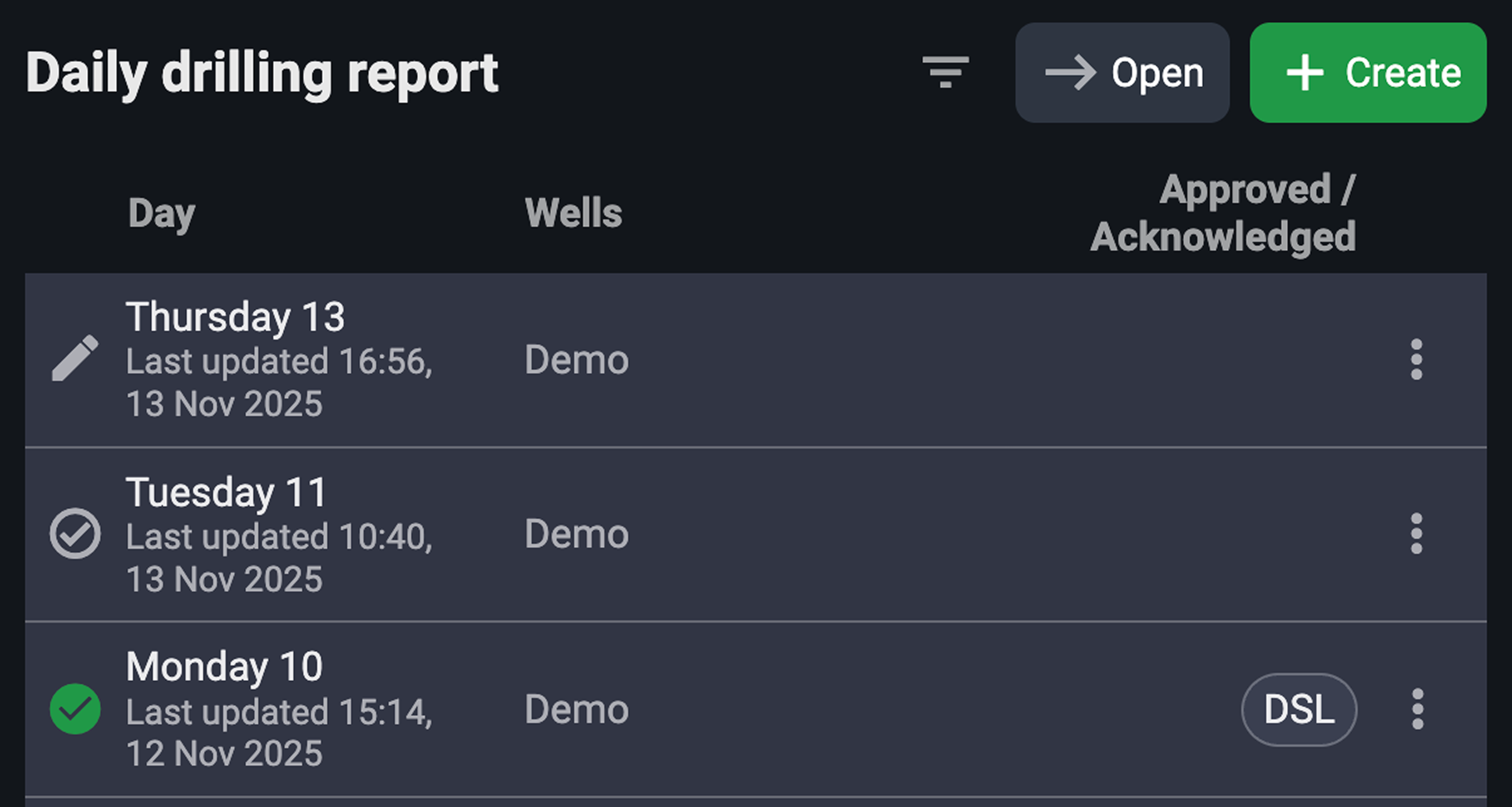
Approver action: Once a report is approved, the status updates to Approved, even if acknowledgment is still pending.
CoMan action (Optional): The CoMan can log in to acknowledge the report.
Tips and tricks
You must assign an approver, but the CoMan (acknowledger) is optional.
Assigning roles is controlled by System Configuration Tool. Keep it minimal to make the dropdown easier to manage.